
The Mechanics of Modern Web Performance: A Deep Dive into Hydration and CSR
An in-depth guide to understanding how frameworks attach interactivity, why Client-Side Rendering can be a bottleneck, and the strategies used to scale performance for users and search engines alike.
What is Hydration?
Think of Hydration as the process of "watering" a dry, static plant so it can move again. When you use a modern framework (like React, Vue, or Next.js) with Server-Side Rendering (SSR), the server sends a fully formed HTML document to the browser.
While this HTML looks complete, it is essentially a "dead" snapshot. The buttons don't click, and the menus don't toggle because the JavaScript logic hasn't been linked to the DOM nodes yet. Hydration is the bridge between a static document and a functional application.
The Hydration Process:
- The Boot Phase: The browser downloads the JavaScript bundle specified in the HTML script tags.
- Reconciliation: The framework runs the component code in the browser to generate a virtual representation (Virtual DOM) of what the UI should look like.
- Event Binding: The framework walks through the existing DOM tree and attaches event listeners (like
onClickoronSubmit) to the corresponding elements. - State Initialization: The client-side state is synchronized with the data the server used to render the page, ensuring the UI doesn't "flicker" or change unexpectedly.
The "Uncanny Valley" of Web Performance
The "Uncanny Valley" describes that frustrating moment when a page looks finished but feels broken. This happens during the gap between First Contentful Paint (FCP)—when the user sees content—and Time to Interactive (TTI)—when they can actually use it.
[Image showing timeline of FCP vs TTI with a blocking JS execution block]Why it happens:
The browser's Main Thread is a single-lane highway. During hydration, the browser must:
- Decompress and parse large JavaScript files (often several hundred kilobytes).
- Execute the initialization logic for the entire application at once.
If a user tries to click a "Buy Now" button while the Main Thread is busy executing 500kb of JavaScript, the browser cannot respond. This lag is measured as Total Blocking Time (TBT). High TBT leads to poor Interaction to Next Paint (INP) scores, which directly impacts Google's Core Web Vitals assessment.
The Hidden Price of CSR: Shifting the Architectural Burden
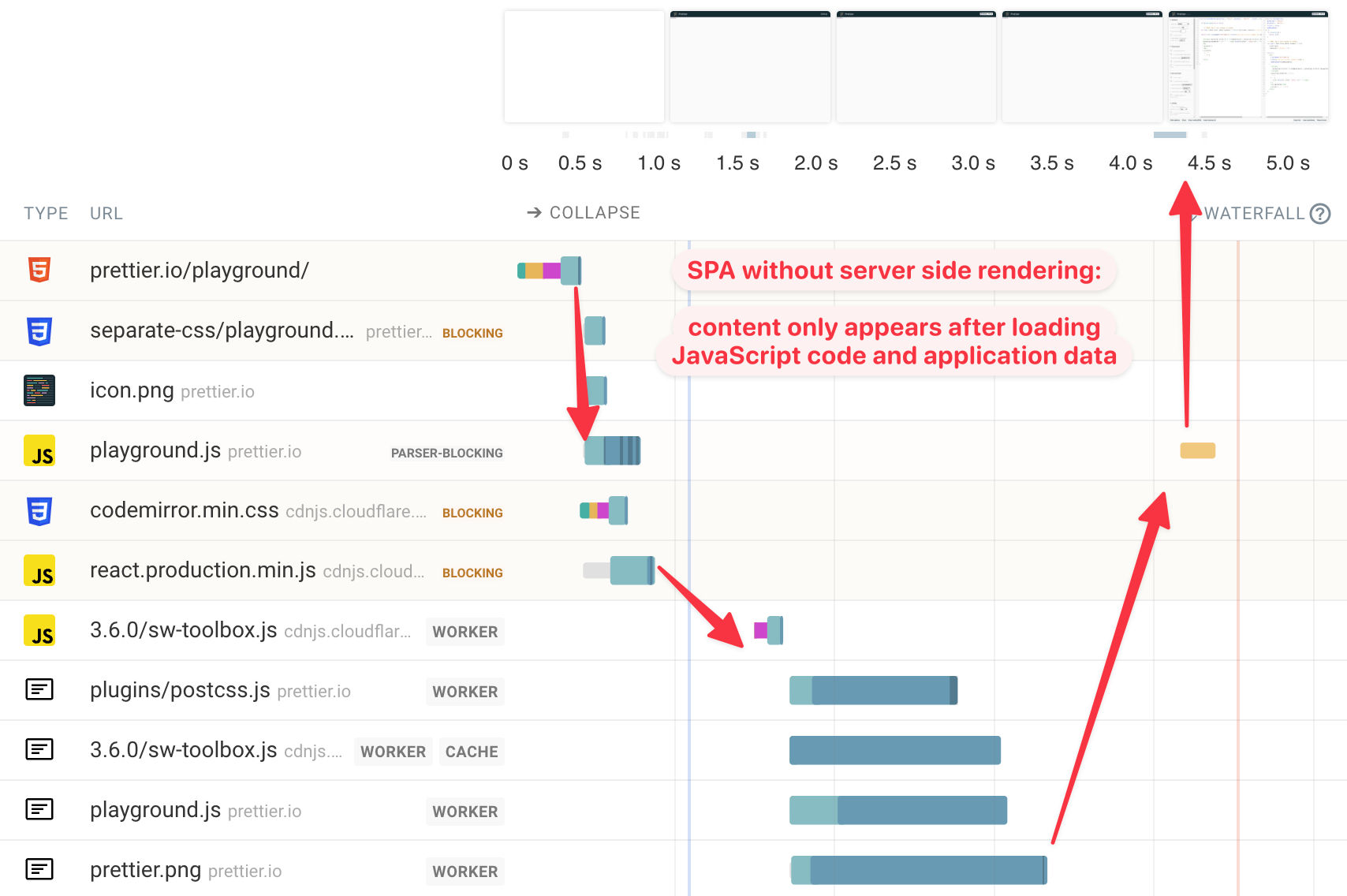
In a pure Client-Side Rendering (CSR) model, the server acts as a simple file host, offloading the heavy lifting of UI construction to the user's device. While this enables the fluid, "app-like" transitions of Single Page Applications (SPAs), it creates a critical First Meaningful Paint (FMP) delay.
This shift isn't just about network speed; it’s about CPU hardware. For users on low-end mobile devices, the browser must work double-time to parse and execute large bundles. On a high-end desktop, this might take 200ms; on a mid-range mobile device, that same execution can cause a 5-10 second delay where the screen remains white, leading to massive bounce rates.
Search Engine Fatigue: The Rendering Queue
A common misconception is that "Google can execute JavaScript, so CSR is fine for SEO." While Googlebot uses an Evergreen Chromium renderer, it operates on Two-Pass Indexing:
- Pass 1 (Instant): The crawler grabs the HTML. In CSR, it sees an empty
<div id="root"></div>. - Pass 2 (The Render Queue): The page is put into a queue to be rendered when resources are available. This can take days or weeks, depending on your "crawl budget."
Optimization Strategies
To escape the Uncanny Valley and solve the CSR dilemma, developers use several surgical techniques:
1. Partial & Selective Hydration
Instead of hydrating the whole page, the framework prioritizes critical sections. Using React 18's <Suspense>, the browser can hydrate the most important parts of the UI first while "streaming" the rest.
2. Islands Architecture
Popularized by Astro, this treats a page as a sea of static HTML with "islands" of interactivity.
- Static: The header, footer, and text content stay as pure HTML (zero JS).
- Islands: Only complex widgets (like a live search bar) ship JavaScript.
3. Resumability (The Qwik Approach)
The newest frontier. Resumability serializes the application state into the HTML. The browser doesn't "re-execute" code to find where events go; it simply picks up exactly where the server left off.
4. Index Rendering (Pre-rendering as a Service)
For legacy CSR apps, Index Rendering (Dynamic Rendering) acts as an SEO bridge. It intercepts requests based on the User-Agent:
- Humans: Receive the standard JS-heavy CSR bundle.
- Crawlers: Are routed to a headless browser that renders the page on the server and serves a cached, flat HTML snapshot.
This ensures that 100% of your content is indexed instantly, bypassing Google's "Render Queue" entirely and protecting your crawl budget.